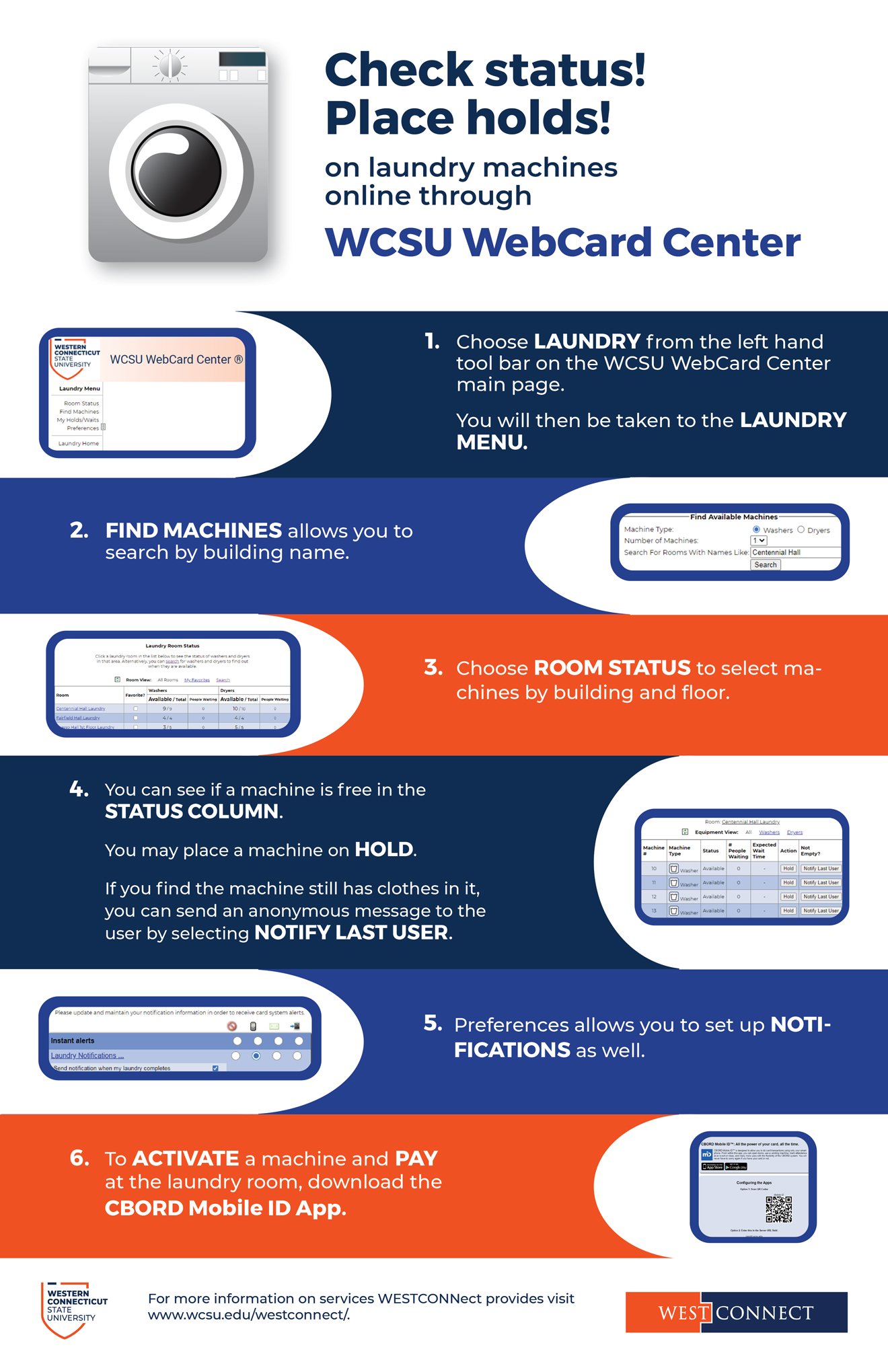




Using the web based interface students can manage laundry with the ability to see the status of machines, place a hold on machines, and set up notification preferences related to laundry.
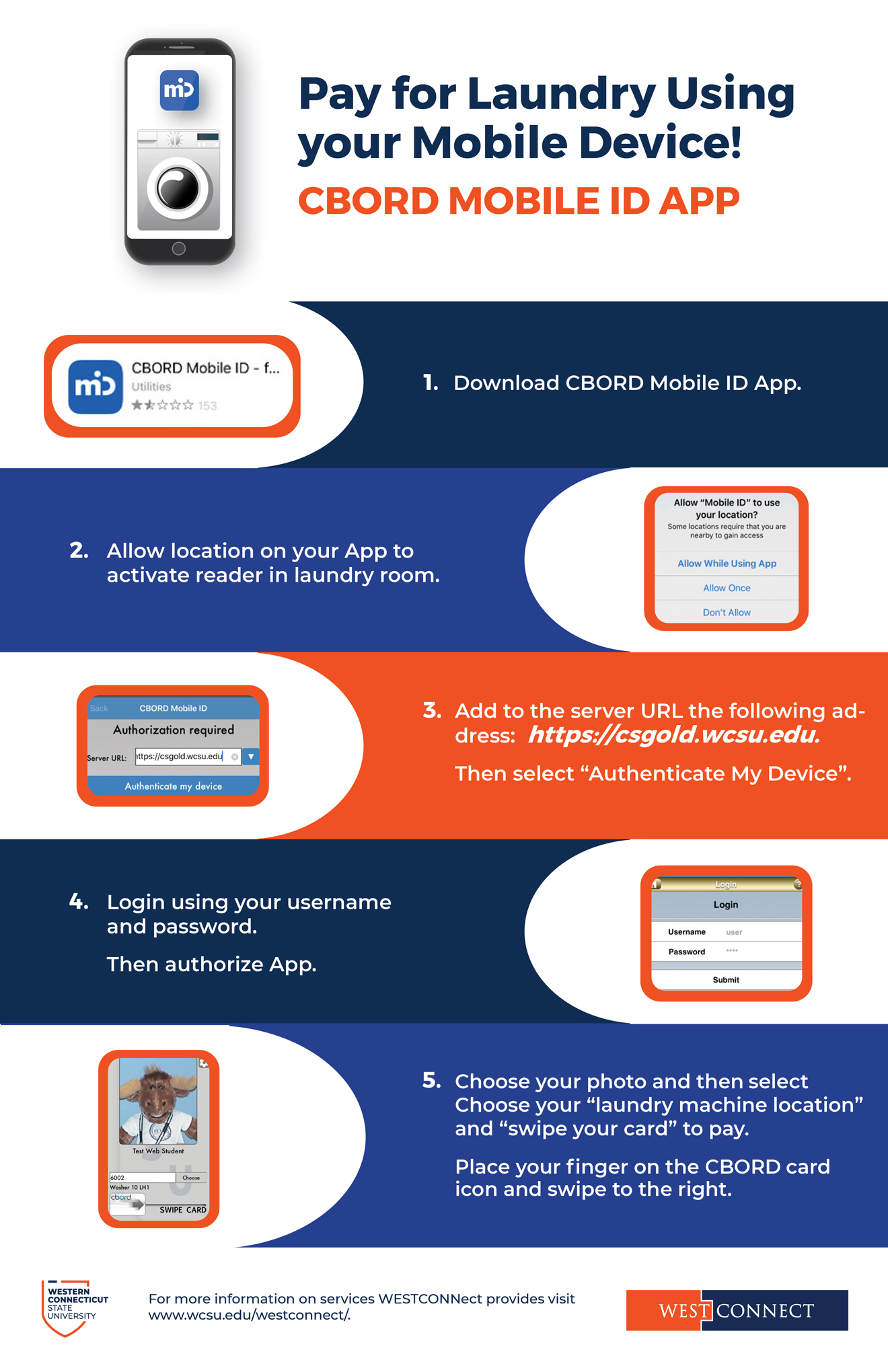
Instructions on how to access and pay for laundry online:
Check status and place holds WCSU WebCard Center
Pay for laundry using your mobile device CBORD MOBILE ID APP
The WESTCONNect Card is also used for various activity and event check-ins. For example, cards have been used at Student Employment Job Fairs, Academic Advisement Offices, and more.
Also, Box Office event payments are possible using CONNect Cash.
CONNect Cash does not expire, and remains valid as long as you are an enrolled student, or active employee. The balance rolls semester to semester.
Remember that you can manage your card account online via the WESTCONNect WebCard Center. to see your balances and transactions history or mark your card as lost.
Including but not limited to physical door access, meal plans, the debit card program (CONNect Cash), ConnectPrint credits which allow on campus printing, entry to campus fitness facilities, campus library use, access to special events, and off campus community spending programs.
Typical surveillance areas include parking garages, lobbies of residence halls, 24-hour computer labs, elevators, and exteriors of buildings.
All cameras are recording and may be monitored.
Retrieval of video may be conducted by the University Police Department as it relates to criminal investigations. Human Resources and Judicial Affairs may request video for case investigations as well.
All other requests for video would be processed via a Freedom of Information request made to the university.
This includes locksets and physical keys, stand-alone electronic locksets, on-line card access control systems and security camera systems.
The WESTCONNect team strives to make facility security as convenient as possible without compromising security. Keys and access to restricted areas are all provided by the WESTCONNect Office upon the approval of Deans, department chairs, directors or club advisors.
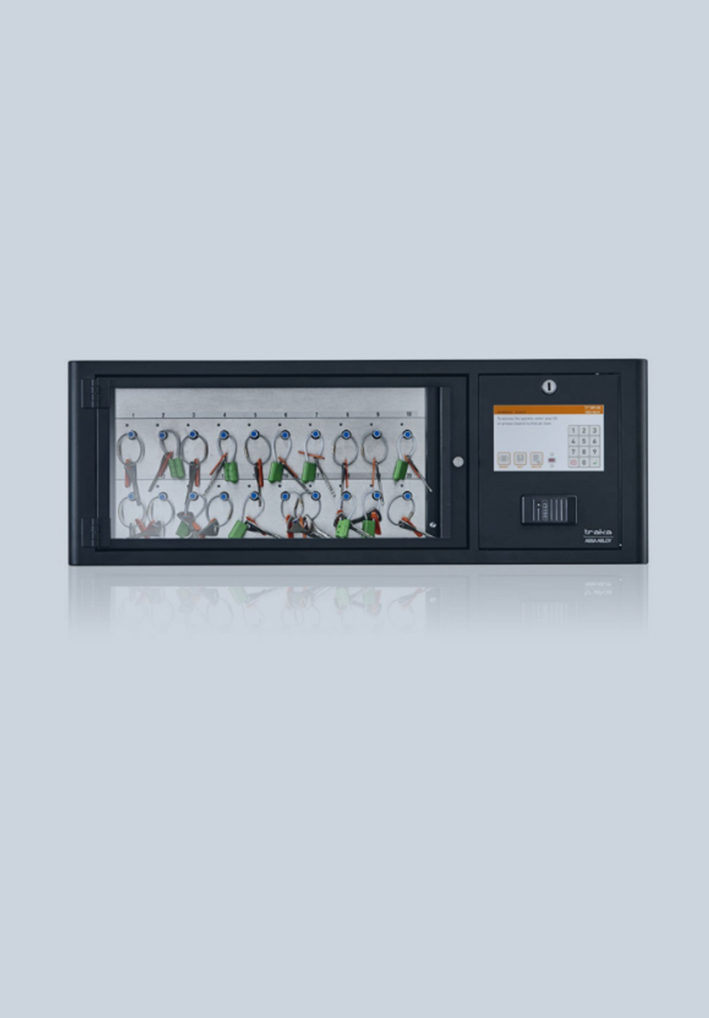
Key cabinets are deployed in each building and allow the university to inventory and manage high security keys such as master and sub-master level keys.
Keys are not to leave the buildings in which they are being utilized. Keys must stay in the possession of the authorized individual at all times, and are never to be left on carts, shelves, or other unattended areas.
For directions on how to access the key boxes visit the Locksmith Services & Facility Security Systems Page.
You can manage your card through the WESTCONNect WebCard Center. See your balances and transaction history, report your card as lost, activate your most recently issued card, set your door security PIN and more. Students may deposit money into their accounts and/or set up authorized payers for others to deposit money into their CONNect Cash (discretionary funds) accounts.
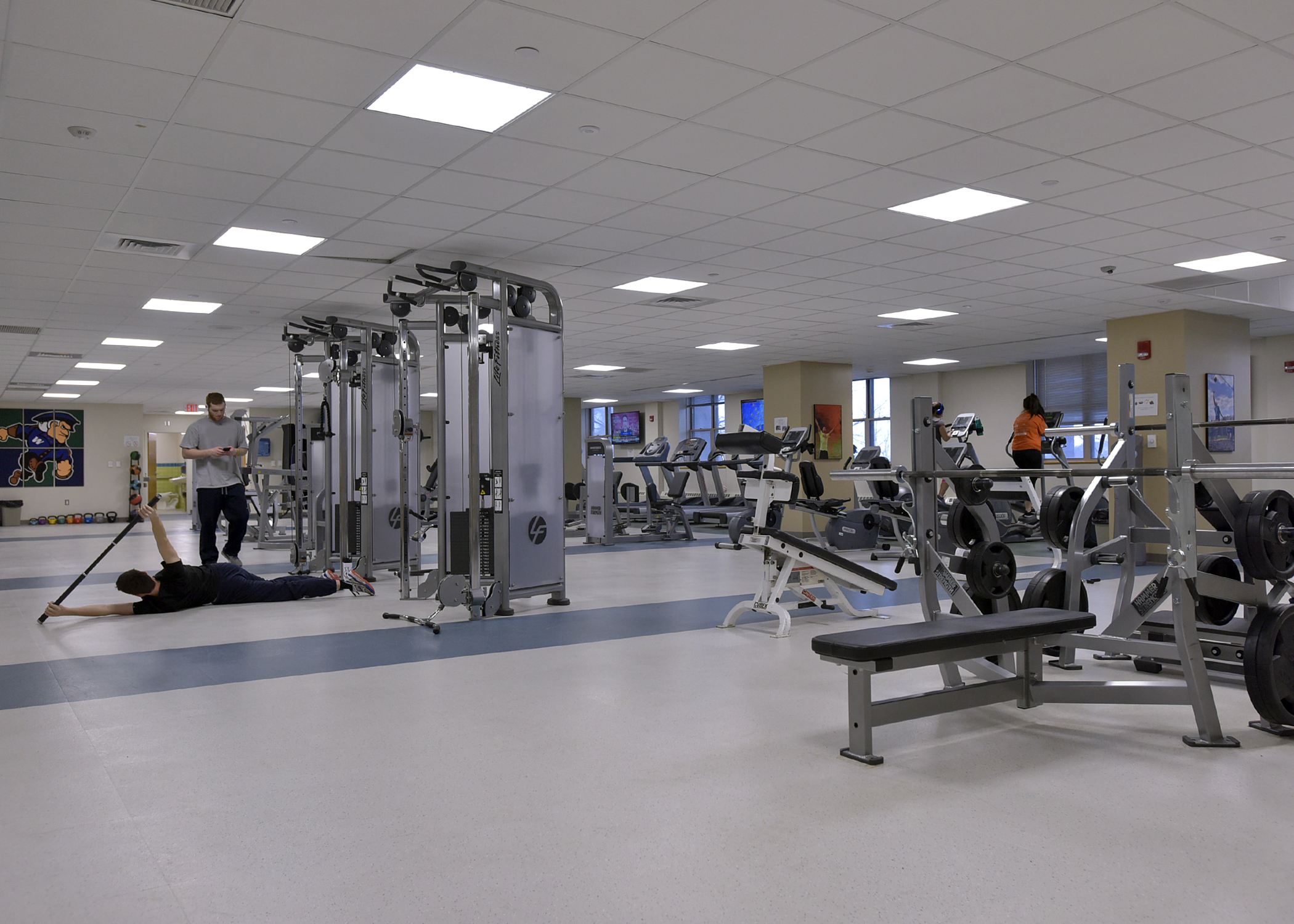
Students, faculty, and staff who wish to use the fitness facilities on campus must present their WESTCONNect Card to the staff to validate their status as a current member of the campus community.
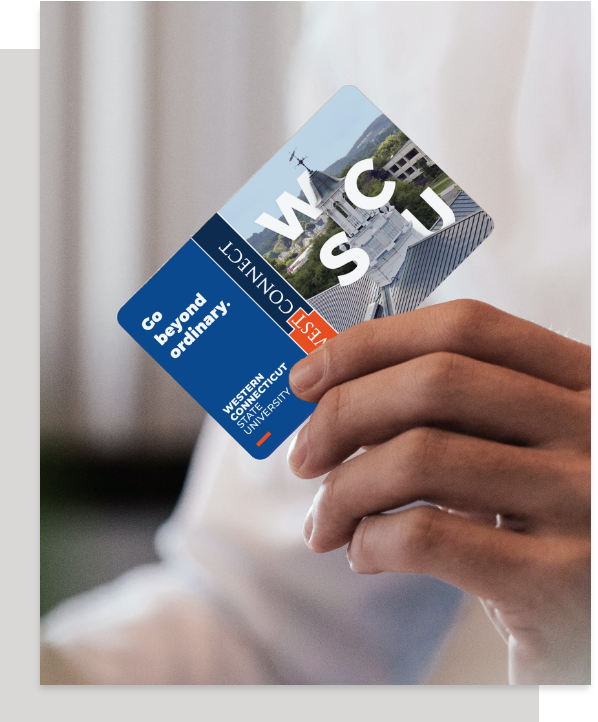
The WCSU identification card is called the WESTCONNect Card. The card offers you access to spending funds and purchases (meal plan money and discretionary funds), unlocking secured areas, printing, attending activities and events, and more. You will come to rely on your card during your everyday life at the university, so you will need to keep it safe and secured.
For information about how to obtain your card and the services it provides as well as campus security and access, click on the links below:
About Us VISIT PAGE
Activate My Card VISIT PAGE
Manage My ID VISIT PAGE
CONNect Cash VISIT PAGE
Student, Faculty & Staff Access VISIT PAGE
Report & Replace VISIT PAGE
Locksmith Services &
Facility Security Systems VISIT PAGE
For any Questions or inquiries not answered, please visit our Frequently Asked Questions Page, or contact us at Request_WestConnect@wcsu.edu / (203) 837-9311
CONNect Print Credits ARE NOT the same as CONNect Cash.
You cannot use CONNect Print credits anywhere except CONNect Print locations and your CONNect Cash is currently not accepted at CONNect Print locations.
If you experience any problems while trying to print, please visit one of the staffed computer labs and ask the lab assistant for help.
For further information, click here to view the University’s IT&I Support Help Page.
Meal plans are a products that are pre-purchased in full, and all meal plans have expiration dates. Meal plans are typically a combination of meals and flex points. Flex points are intended to be used for what is considered “retail” purchases.
Please note that meal plans funds, both meal and flex points, may only be used at on-campus food service locations.
Resident students are required to have a meal plan, and the plans are assigned based on residence hall placement. Changes to meal plans for resident students should be requested trough the Housing and Residence Life Office.
Commuter students may choose to have a meal plan. Commuter students who wish to purchase a meal plan should do so via the Cashiers Office.
Faculty and staff may choose to have a meal plan and they may purchase the plans at the food service payment register locations.
Detailed meal plan information is available at the Food Services website or at the Food Services Office located in the midtown Student Center by the Student Restaurant.
Do you need to know how many meals or flex points you have left? Do you want to know where you spent your funds? You may view your meal plan information through the WESTCONNect WebCard Center.
All residents’ cards are programmed for access to their assigned buildings. A WESTCONNect Card must be presented in order to enter the building, at no time should anyone hold open a door to allow another person to enter the building without using a card. If you are visiting someone in the residence hall, please call the person whom you are visiting to coordinate entry and visitor check in at the main desk.
Access to individual residence rooms and bathrooms is managed by the Residence Life staff. Lost cards should be reported immediately using the WESTCONNect WebCard Center. Instructions may be found here.
Temporary cards are available from the Resident Directors until a replacement card may be obtained at the WESTCONNect Card Office during the next business day. Temporary cards must be returned to the Resident Director, or a replacement fee will be assessed to the student.
If there is a problem with the security system, the Resident Director may issue a physical key to the student. Keys must be returned to the Resident Director, or a replacement fee will be assessed to the student.
Security Tips
√ Do not hold doors open to let others into the buildings. Each person should use their own card to enter
√ Do not prop open doors or tamper with doors to keep them unlocked
√ Have all visitors check in with the front desk, and follow all residence hall policies and procedures
√ Do not give your card to others to gain access to your building or room
√ Keep your room doors closed and secured, do not walk away and leave your room unsecured
Problems with Access or Security?
Start by reporting all problems to the Resident Director. They are able to troubleshoot and resolve most access problems. If they are not able to resolve the issue, they will report the problem using the work order system.